User Interface
Categories:
User Interface
The Get Smart Token platform features a clean, intuitive interface designed to make signing up and earning tokens simple and engaging. Below are key elements of our user interface.
Sign-up Page
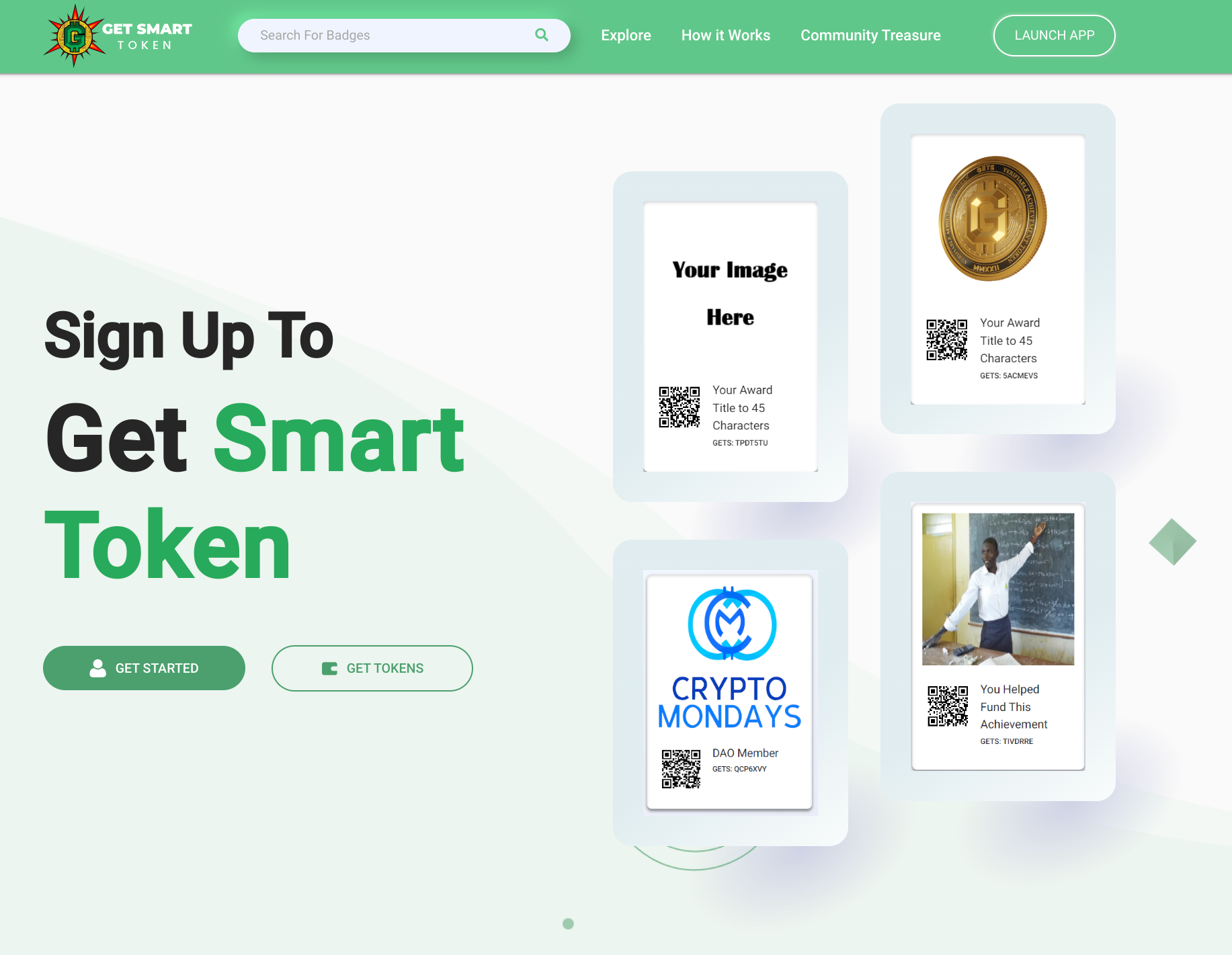
The sign-up page is the gateway to our platform, inviting users to start their journey with Get Smart Token. Click the image above to visit the actual sign-up page.
Key features:
- Clear “Sign Up To Get Smart Token” call-to-action
- “GET STARTED” and “GET TOKENS” buttons for easy onboarding
- Display of available tokens/badges with QR codes
- Search functionality for exploring tokens
- “CONNECT TO WALLET” option for existing crypto users
Navigation elements:
- Explore: Browse available tokens and opportunities
- How it Works: Learn about the platform’s functionality
- Community Treasures: Discover community-related features
Token Display
The sign-up page showcases a variety of tokens users can earn:
- Placeholder for personalized tokens (“Your Image Here”)
- Cryptocurrency-related tokens (e.g., gold coin image)
- Event-specific tokens (e.g., “CRYPTO MONDAYS”)
- Achievement-based tokens (e.g., educational whiteboard image)
Each token is presented with a unique QR code for easy access and tracking.
Color Scheme and Branding
- Primary color: Green, reflecting growth and value
- Clean white background for clarity and focus on content
- Consistent branding with the Get Smart Token logo prominently displayed
The user interface is designed to be welcoming to newcomers while providing clear pathways for engagement and token acquisition. It emphasizes ease of use and visual appeal, making the process of joining and participating in the Get Smart Token ecosystem straightforward and enjoyable.
Feedback
Was this page helpful?
Glad to hear it! Please tell us how we can improve.
Sorry to hear that. Please tell us how we can improve.